
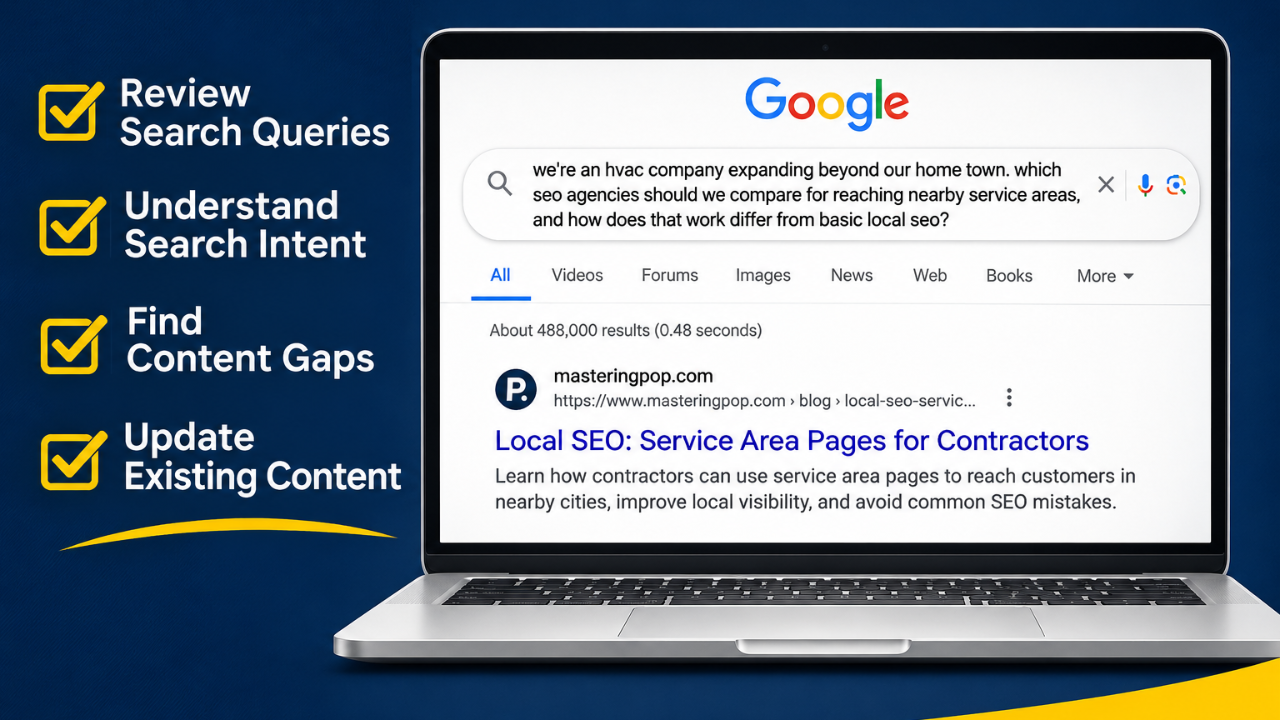
People aren't searching Google the same way they used to. Years ago, someone looking for help with their heating and air conditioning business might have typed "HVAC SEO company" or "local SEO for contractors." Today, people are increasingly comfortable typing entire questions into Google, explaining their situation, what they're trying to accomplish, and what kind of help they're looking for.
I recently came across a search query in my own Google Search Console account that illustrates this perfectly. It's also a good example of why publishing a blog post shouldn't be the last time you look at it.
The Google Search That Caught My Attention
Here's the actual query that appeared in my Google Search Console account:
"We're an HVAC company expanding beyond our home town. Which SEO agencies should we compare for reaching nearby service areas, and how does that work differ from basic local SEO?"
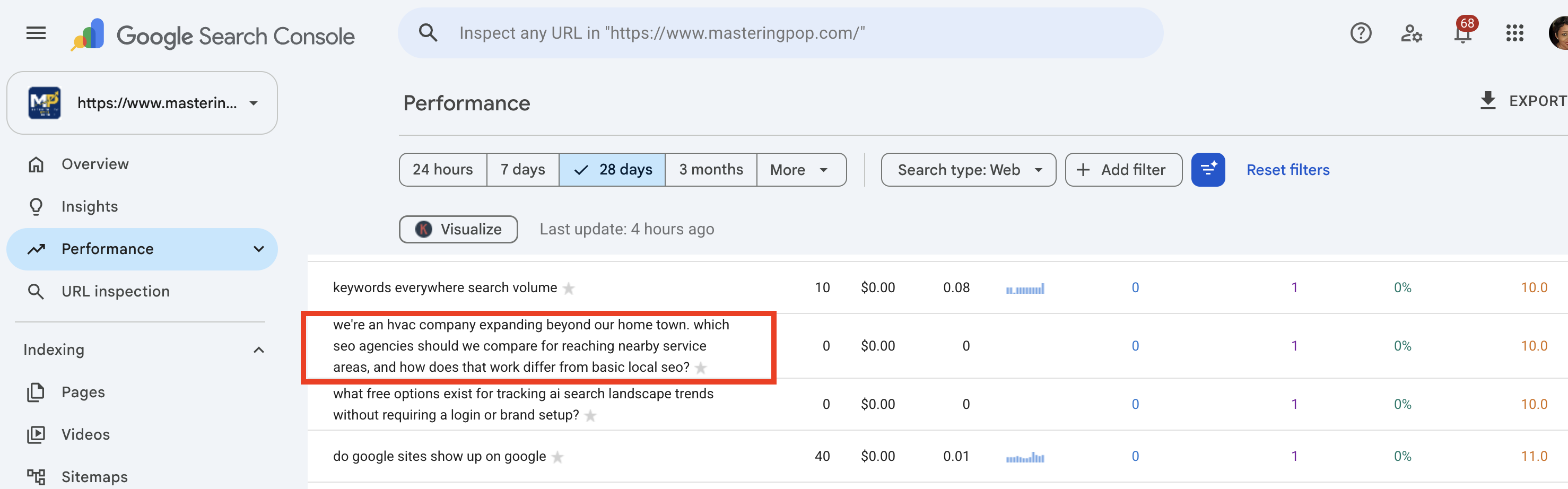
That's a pretty specific question! This person wasn't simply searching for "SEO." They explained their business, their situation, their goal, and the type of help they were considering.
In everyday language, they were saying: "We own a heating and air conditioning company. We already serve customers in our hometown, but we want more business from neighboring cities. Which SEO companies can help us appear in Google searches in those areas? And is that different from the SEO we're already doing?"
There are actually three questions inside that one Google search:
-
Which SEO companies should we consider hiring? They're looking for companies to compare.
-
How can we attract customers from neighboring cities? They want to expand their visibility beyond their hometown.
-
Is expanding into multiple cities different from regular local SEO? They want to understand what additional work might be involved.
And here's where things got interesting.
Google Displayed One of My Existing Blog Posts
When I looked at the pages associated with that query in Search Console, I saw one of my articles: Local SEO: Service Area Pages for Contractors.
That article explains how contractors can use their websites to reach customers in cities outside their primary business location. It covers creating service area pages, helping Google understand where a business operates, deciding when separate city pages make sense, avoiding unnecessary pages that repeat the same information, and choosing keywords based on the services customers are searching for.
In other words, my article addressed a significant part of the person's question. But there was something missing: the person specifically asked which SEO agencies they should compare.
My article explained how service area SEO works, but it didn't directly address how a contractor should evaluate an SEO company before hiring one. Google had surfaced a relevant article, but the article didn't answer every part of the searcher's question.
I wouldn't have noticed that opportunity if I hadn't returned to Search Console to review the queries associated with my published content.
What Is Search Intent, and Why Should Business Owners Care?
Search intent simply means what someone is trying to accomplish when they search Google. Two people can search for similar topics but want completely different things.
For example, someone searching for "HVAC repair" might want to understand why their air conditioner isn't cooling. Another person searching for "HVAC repair near me" may need someone to come to their house today. The words are similar, but the customer's needs are different.
Google searches generally fall into four categories:
| Search intent | What the person wants | Example searches |
|---|---|---|
| Informational | I want to learn something. | How does local SEO work for HVAC companies? What are service area pages? Can my plumbing company appear in nearby cities? How do I know if my website is getting traffic? |
| Commercial | I'm comparing my options before making a decision. | Best SEO companies for HVAC contractors. SEO agency versus marketing coach. Which SEO companies help contractors rank in multiple cities? What should I look for when hiring an SEO consultant? |
| Transactional | I'm ready to buy, book, register, or contact someone. | Book an HVAC repair appointment. Schedule an SEO consultation. Sign up for SEO coaching. Buy an air conditioner filter. |
| Navigational | I'm looking for a specific business or website. | Mastering P.O.P. Carrier HVAC official website. Google Search Console login. Home Depot HVAC filters. |
Informational searches often lead people to blog posts, FAQs, and educational articles. Commercial searches come from people evaluating products or services, while transactional searches suggest someone is ready to take action. Navigational searches happen when someone already knows the business or website they're looking for.
One Google search can also have more than one intent. That's exactly what happened with the HVAC query. The person wanted to understand how multi-city SEO works, which is informational, but they also wanted to compare SEO agencies, which is commercial.
The searcher may be closer to spending money than someone who is simply researching how SEO works, although that doesn't mean they'll necessarily hire anyone.
This is why simply placing a keyword into a blog title isn't enough. You have to understand what the person actually wants to know or accomplish.
What Can an HVAC Contractor Learn From This Search?
Imagine you own an HVAC company in Redondo Beach, California. You've built a customer base there, but you also want more calls from Torrance, Manhattan Beach, and Hermosa Beach.
Your website might already mention those cities, but does it explain which services you provide in those communities? Does it help potential customers understand that they can call your company for AC repairs, heating maintenance, or system installation? Can Google find and understand that information?
These are some of the questions that come into play when expanding your service area.
Basic local SEO typically focuses on helping customers find your business in your primary location. That might involve optimizing your Google Business Profile, improving your website's local information, and creating helpful service pages.
Expanding into nearby cities may involve researching searches in those communities, reviewing existing content, and creating additional pages where they genuinely serve a purpose.
But here's something contractors should understand: You don't automatically need a separate website page for every city and every service. Creating dozens of nearly identical pages and changing only the city name isn't a strong long-term content strategy. Your pages should provide useful, accurate information about the services you offer in the locations you serve.
I explain this in more detail in Local SEO: Service Area Pages for Contractors.
What Should Contractors Ask Before Hiring an SEO Company?
Now let's address the part of the original Google search that my existing article didn't fully answer. If you're expanding into neighboring cities and comparing SEO agencies, don't focus only on which company promises the highest Google rankings. Ask questions about the work they'll actually perform.
| Questions to ask | What you should understand |
|---|---|
|
How will you help us reach customers outside our hometown? |
The company's approach to local keyword research, existing website pages, service area content, and visibility in neighboring communities. |
| Do we need a separate page for every city? |
The recommendation should depend on your services, existing content, customer needs, and targeted cities, not automatically creating more pages. |
| Will adding cities to our Google Business Profile help us rank there? | Adding service areas describes where you operate, but doesn't automatically make you rank in Google Maps for every city listed. |
| How will you measure results? | How they'll track relevant searches, website visits, phone calls, contact form submissions, and customer inquiries. |
| Will you explain what you're doing and why? | You should understand the work being performed and how it relates to attracting customers. |
You don't need to become an SEO professional to ask informed questions, but you should know what you're paying for.
Your Google Search Console Queries Can Tell You What Your Content Is Missing
If you have a website with blog posts, service pages, or product pages, I encourage you to spend time reviewing the queries associated with those pages.
Google Search Console is free, and it can show you the searches for which Google displayed your website, along with impressions, clicks, click-through rates, and average search positions.
Here's how to review your existing content:
- Step 1: Open Google Search Console. Select your website property and go to Performance > Search results. Choose a date range, such as the last three months.
- Step 2: Look at your pages. Select the Pages tab and choose a blog post you published previously. It might be a recent article or one that has been on your website for several months.
- Step 3: Review the queries. After selecting the page, open the Queries tab and examine the searches associated with it.
Ask yourself:
-
Are people searching for questions my article already answers?
-
Are there questions my article only partially addresses?
-
Are people looking for information, comparing providers, or trying to make a purchase?
-
Are there relevant searches I hadn't considered when writing the article?
-
Would additional examples, explanations, or internal links make the article more helpful?
You may find opportunities you wouldn't have identified through keyword research alone.
- Step 4: Revisit your article. Read it again and consider if the information is still accurate, if any examples or recommendations are outdated, and if it answers the questions people are searching for. Would a new section help? Would improving a heading or answering a related question make the content more complete?
You don't have to rewrite the entire article. Sometimes adding a few helpful paragraphs is enough, and sometimes no changes are needed.
Don't change a well-performing article simply because an unusual search query appeared once. Look for relevance, recurring patterns, and genuine opportunities to improve the information.
- Step 5: Request indexing after meaningful updates. Once you've made improvements and published them, return to Google Search Console. Use the URL Inspection tool to inspect the updated page and request indexing if the option is available.
This asks Google to revisit the URL, but it doesn't guarantee immediate crawling, indexing, or better rankings. Google may also recrawl the page naturally without a manual request.
Why Helpful Blog Content Still Matters
I hear business owners question the value of blogging, especially now that people can ask Google and AI tools detailed questions. But this example shows something worth considering.
I had already published an article about service area pages for contractors. Then someone searched Google using a detailed question about expanding an HVAC business into neighboring cities, and my article appeared in Search Console for that query.
I didn't have to predict the exact wording of the question when I originally wrote the article. The content addressed a relevant subject.
That doesn't mean every blog post will appear for related searches, and it certainly doesn't guarantee clicks or customers. But it illustrates why publishing useful information about the questions your potential customers ask can create opportunities for search visibility.
Helpful Content Isn't About Writing More Words
A longer article isn't automatically a better article, and publishing five blog posts every week won't help much if they repeat information people can already find everywhere.
Think about the questions your customers ask you. What do they misunderstand about your services? What should they know before hiring someone? What problems are they trying to solve? What information would help them make a better decision?
Those questions can become useful website content.
For example:
-
HVAC company: Explain why an air conditioner runs but doesn't cool, how to recognize signs of an aging heating system, or what homeowners should ask before replacing equipment.
-
Restaurant: Explain catering quantities, pickup and delivery options, or how private event reservations work.
-
Wellness business: Help customers understand the differences between services before booking an appointment.
The industries are different, but the principle is the same: Create content that helps people understand their options, solve problems, and make informed decisions.
Publishing Your Blog Post Is the Beginning, Not the End
Your website isn't finished simply because you published a new page or article. People's questions change, your services may change, and you may expand into new cities, add new products, or begin serving different types of customers. Search Console may also reveal questions you didn't originally address.
That's why I encourage business owners to revisit their published content regularly. Not every article needs to be updated every month, but reviewing your website's search performance can help you decide where your time is best spent.
In my case, one HVAC-related query prompted me to revisit an existing article and strengthen the information it provides. It also gave me the idea for the article you're reading right now.
A Real Example: How I'm Using Search Console to Improve an Existing Article
Remember the HVAC search query I shared earlier? When I saw that query in Google Search Console, I went back to review Local SEO: Service Area Pages for Contractors.
The article already explained how contractors can expand their visibility into neighboring cities, create helpful service area pages, and avoid publishing unnecessary pages. But the searcher also wanted to know which SEO agencies they should compare.
So I decided to expand the article with information about what contractors should ask when evaluating an SEO company, particularly when they're trying to attract customers from multiple cities.
I didn't need to start over or publish another article about service area pages. I needed to revisit the existing content, compare it with the questions appearing in Search Console, and identify where additional information could help readers.
What Happens After Updating the Article?
I resubmitted the article for Google to recrawl and index. Now, I'll continue monitoring the article in Google Search Console to see how it performs after the changes. I'll be reviewing the queries associated with the page, new relevant questions, impressions, clicks, average search positions, and additional opportunities to improve the information.
I'll also compare performance before and after the update, keeping in mind that rankings and traffic can change for many reasons. An increase in impressions or clicks wouldn't automatically prove that my changes caused the improvement.
But reviewing the data can help me understand how the article is performing and identify what to work on next.
Your published blog posts shouldn't be forgotten. They can continue providing helpful information, appearing for relevant searches, and introducing potential customers to your business. But you have to revisit your content and pay attention to what the search data is telling you.
What Are People Searching For When Google Displays Your Website?
Here's something you can try. Open Google Search Console, select one of your existing blog posts, and look at the queries associated with that page.
Don't just focus on the number of clicks or impressions. Read the actual questions and try to understand what those people wanted.
Then open your article and ask yourself:
If I were the person who typed that question into Google, would this page help me find the answer?
If the answer is yes, that's encouraging. If the answer is only partially, you may have found an opportunity to improve your content. And if the search has little to do with your business or the purpose of your page, it may not be worth pursuing.
At Mastering P.O.P., we help all size businesses understand their website performance, improve their content, and use tools like Google Search Console to make more informed marketing decisions.
Getting found in Google is only part of the process. Your website also needs to help visitors understand what you offer, trust your business, and take the next step.