One of the first things I notice when a new business owner joins my ongoing marketing coaching membership is that they often have very little information about what's happening on their website.
They have a website. Some are posting on social media, writing blogs, sending emails, or paying for advertising. Others have ecommerce stores with products available for purchase.
But when I ask questions like these, they often don't know the answers:
-
How are people finding your website?
-
What are they typing into Google before they discover your business?
-
Which pages are attracting the most visitors?
-
How long are people staying on your website?
-
Which products or services are getting the most attention?
-
Are visitors contacting you, making purchases, or leaving without taking action?
-
Which marketing activities are actually bringing in potential customers?
And here's something that surprises many of them.
Much of this information is available through free tools from Google.
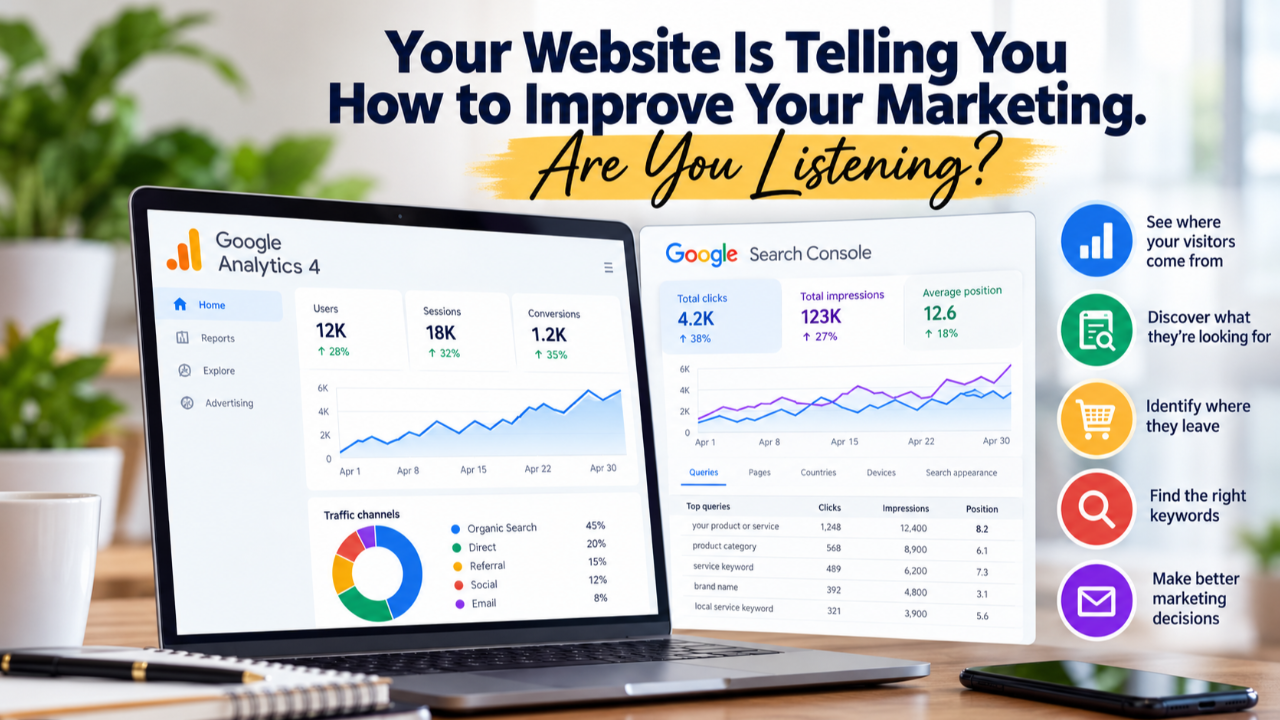
I'm talking about Google Analytics 4 (GA4) and Google Search Console.
These are two of the first tools I look at when working with a new coaching member because the information they provide can influence almost every marketing decision we make together.
Having a Website Isn't the Same as Understanding How It's Performing
Recently, I had a coaching session with a member who operates an e-commerce business.
During our initial one-on-one call, that her website wasn't connected to Google Analytics.
She had an online store, products available for purchase, and marketing activities underway, but we didn't have the GA4 information needed to examine how visitors were interacting with her website.
That's a problem I encounter regularly. And it isn't limited to e-commerce businesses.
I've seen similar situations with service providers, contractors, consultants, and other small business owners. They may have invested hundreds or thousands of dollars into their websites without knowing how to measure the results.
Now, installing Google Analytics won't automatically bring in customers or increase sales. But it gives us information we can use to investigate what's happening and identify opportunities for improvement.
1. Google Analytics Helps You Understand What Visitors Do on Your Website
Google Analytics 4 is a free tool that helps you understand how people find and interact with your website.
For example, it can show you:
- How many people visit your website
- Where visitors come from, including Google, social media, email campaigns, and other websites
- Which pages attract the most attention
- How visitors engage with your content
- Which marketing channels contribute to leads and purchases, when those actions are properly tracked
For e-commerce businesses, GA4 can provide even more useful information when ecommerce tracking is configured correctly.
We can examine which products people view, which items they add to their carts, when they begin checkout, and which purchases are completed.
But the real value comes from understanding what those numbers are telling us.
Example: Your product page gets 500 visitors, but very few people add anything to their carts.
That gives us something to investigate.
- Maybe the product description doesn't answer shoppers' questions.
- Maybe the photographs aren't doing a good job of showing the product.
- Maybe customers want reviews before making a purchase.
Or perhaps the people arriving on that page aren't the right audience.
We shouldn't assume we know the reason simply because we see a low number of add-to-cart actions. We can use the information to investigate, make improvements, and measure the results.
Now consider a service-based business.
If a contractor's website receives steady traffic but very few estimate requests, phone calls, or contact form submissions, we'd want to understand why.
Are visitors leaving the website within seconds of arriving? Are they viewing multiple pages or leaving after looking at just one? Are they spending enough time on the service pages to learn what the contractor offers?
We might also examine the website's navigation, service descriptions, contact forms, calls to action, and the types of visitors arriving on the site.
Google Analytics can help us identify engagement patterns, including how long visitors actively engage with the website and its bounce rate, which measures the percentage of sessions that weren't considered engaged.
If people are arriving but leaving without taking action, that's information we can use to investigate what's happening and where improvements may be needed.
The point is that different website behaviors call for different marketing decisions.
2. Google Search Console Shows You What People Are Searching for on Google
This is one of my favorite tools, particularly because SEO is a major part of the work I do.
Google Search Console is free, and it helps website owners understand how their websites appear in Google's organic search results.
It can show us:
-
Which searches cause your website to appear on Google
-
How often your pages appear in search results
-
How many people click through to your website
-
Your average search position for different searches
-
Which pages receive traffic from Google Search
-
Potential indexing problems that may prevent certain pages from appearing in search results
Think about how useful that information can be.
Let's say you operate a residential cleaning business.
You learn that your website is appearing in Google searches for "move out cleaning services," but very few people are clicking. That might lead us to review the page title, description, and content to see how well they address what those searchers need. Or perhaps you're a consultant and discover that people are finding your website through searches related to a service you rarely promote.
That could be an opportunity to create more content around that service.
Your customers' searches can tell you what they're interested in, what problems they're trying to solve, and how they describe the services or products they need.
And that information is useful for much more than SEO.
3. Search Data Can Help You Write Better Blog Posts
One of the biggest challenges I hear from business owners is that they don't know what to write about.
They understand that publishing helpful content can improve their visibility, but coming up with relevant topics is another story.
This is where Google Search Console and keyword research can help.
Instead of choosing blog topics based only on what you want to talk about, we can examine what people are actually searching for.
For example:
- A roofing contractor might discover interest in searches about roof repair costs, insurance claims, or signs that a roof needs replacing.
- A professional organizer might find opportunities to write about organizing small closets, preparing a home for downsizing, or managing household clutter.
- An ecommerce business might discover that shoppers are searching for product comparisons, gift ideas, sizing information, or instructions for using its products.
These topics can become helpful blog posts, FAQs, product page improvements, videos, and social media content. Of course, not every search deserves its own article.
We also need to consider search intent. Is someone looking for information? Comparing options? Or preparing to make a purchase?
Understanding that difference helps us create content that serves people at different stages of their buying decisions.
4. Your Website Data Can Help You Create Better Emails
Here's something many business owners don't immediately connect.
The information we learn from website analytics and search behavior can also help us improve email marketing.
Let's say you sell products online and discover that one particular product category consistently attracts visitors. That could inspire an email featuring products from that category, answering common questions, or sharing customer experiences. Or perhaps you provide professional services and discover that an educational blog post is attracting visitors from Google.
You might create an email that expands on that topic and invites subscribers to learn more about your services.
Google Search Console can also reveal questions and topics that could become email subject lines or newsletter content.
And with properly configured email tracking, Google Analytics can help us understand what happens after subscribers click links in our emails.
- Do they visit a product page?
- Do they submit an inquiry?
- Do they make a purchase?
This is how email marketing becomes more connected to your overall marketing efforts.
For e-commerce businesses, we can also work on welcome emails, abandoned checkout reminders, post-purchase follow-ups, and campaigns that encourage previous customers to return.
One important distinction: Google Analytics and Search Console don't give you visitors' email addresses or tell you which individual person searched for something. They provide broader information that can help you create more relevant marketing.
5. Tracking the Right Keywords Is More Valuable Than Simply Getting More Traffic
I spend a considerable amount of time helping businesses understand keyword research and tracking. And one thing I regularly emphasize is that more website traffic doesn't automatically mean more business.
Imagine two websites.
- Website A receives 5,000 visitors a month, but very few visitors are interested in purchasing its products or services.
- Website B receives 500 visitors a month, but many are actively searching for what the business offers.
Website B could potentially generate more revenue with a fraction of the traffic.
That's why we need to look beyond visitor counts.
We want to understand which searches are bringing people to the website and how those visitors behave once they arrive. We also want to monitor important keywords over time and understand how competing businesses are appearing in search results.
Google Search Console provides valuable information about your own website. Dedicated keyword research and competitor analysis tools can help us examine opportunities beyond that data.
Together, these tools help us make more informed decisions about the pages we optimize, the content we publish, and the customers we're trying to reach.
6. B2B and B2C Businesses Can Both Benefit From This Information
Sometimes business owners assume analytics and keyword tracking are primarily for online retailers. That's not the case.
If you sell products directly to consumers, you might focus on product views, shopping carts, purchases, and repeat customers.
If you operate a B2B business, you might be more interested in service page visits, contact form submissions, consultation requests, and qualified leads.
Consider a staffing agency that provides virtual assistants to businesses.
Search Console might reveal searches related to hiring remote administrative assistants, outsourcing customer service, or finding virtual bookkeeping support.
That information could help the agency develop service pages, articles, and email campaigns around the needs of potential clients.
Meanwhile, Google Analytics could help the agency understand which pages are attracting visitors and which marketing channels contribute to inquiries.
The tools are similar, but the business goals and measurements can be very different.
7. Reviewing Your Marketing Results Should Be an Ongoing Activity
This is where I believe many small business owners need the most support.
They might install Google Analytics or connect Search Console, look at a few reports, and then rarely open them again. Or they open the reports and don't understand what they're looking at.
That's understandable. These tools contain a lot of information, and the terminology can be confusing. But the objective isn't to become a Google Analytics expert.
It's to understand enough about your marketing performance to make better business decisions.
For example, during a monthly marketing review, we might discuss:
-
Which website pages are attracting visitors?
-
Are important keywords improving or declining in search visibility?
-
Which marketing channels are generating leads or sales?
-
Are visitors taking the actions we want them to take?
-
Which content topics are showing promise?
-
What should we work on next?
We also need to allow enough time and gather enough information before deciding that a change has worked or failed.
Marketing improvement is an ongoing process of reviewing information, making changes, and measuring the results.
Try This: What Are Your Website Visitors Telling You?
Here's a simple exercise you can do this week using Google Analytics.
-
Open Google Analytics and select the last 30 days.
-
Go to Reports > Engagement > Pages and screens. Depending on your setup, you may find this report under Business objectives.
-
Find your three most visited pages.
-
Look at the average engagement time for each page. Which page keeps visitors engaged the longest? Which has the lowest engagement?
-
Choose one page to examine more closely. Could it benefit from clearer information, a stronger call to action, better navigation, or an easier way for visitors to contact you?
Here's something else to check: Look at your bounce rate, if it's available in your report. A high bounce rate doesn't automatically mean something is wrong, but it can give you another reason to investigate how visitors are interacting with that page.
You don't need to make five changes at once. Start with one improvement, then monitor the results over time.
The goal is to get into the habit of reviewing your website's performance and using what you learn to make informed marketing decisions.
Don't have Google Analytics connected to your website yet? Get started with Google Analytics.
Need help setting it up or understanding your reports? [Check out our Ongoing Coaching] and see how Mastering P.o.P. can help you use your website data to make better marketing decisions.
Having the Tools Is Only Part of the Process
I want to emphasize something. Google Analytics and Google Search Console are not going to fix a struggling business on their own.
You could have both tools installed correctly and still struggle to attract customers.
Your products might not appeal to your intended audience. Your prices might be too high for the market. Your website might be difficult to navigate. Or you might be attracting visitors who have no intention of buying.
The tools help us identify patterns and investigate possible problems. But someone still has to interpret the information and decide what to do next.
For example, if your e-commerce store attracts plenty of visitors but generates very few purchases, improving the shopping experience might deserve attention.
On the other hand, if your store converts visitors into customers but receives very little traffic, attracting more qualified visitors may be a higher priority.
Those are two different situations that require different approaches.
This Is What We Work on Inside My Ongoing Marketing Coaching Membership
After more than 20 years working in marketing (B2B & B2C), I've learned that many small business owners don't need another collection of marketing tips.
They need someone to help them understand their own business, identify opportunities, and work through the next steps.
That's a big part of what happens inside my Mastering P.o.P. ongoing marketing coaching membership.
When someone joins, we look at what they already have in place.
- Is their website connected to Google Analytics and Google Search Console?
- Do they understand how people are finding their business?
- Are they tracking the keywords that are relevant to their products or services?
- Are they publishing content that addresses what potential customers are searching for?
- Do they have a way to follow up with people who have shown interest?
And most importantly, do they understand how to use the information available to them?
We don't have to tackle everything at once. We identify priorities, work through challenges, review progress, and continue building on what we learn.
My goal isn't simply to teach business owners how to use another marketing tool.
It's to help them understand their marketing well enough to make better decisions about how they spend their time and money.
And that support isn't limited to independent small business owners. I also work with franchises, corporations, and business organizations that want to give their franchisees, contractors, or business members access to ongoing marketing education, tools, and support.
If you're running a business and haven't looked at your Google Analytics or Search Console reports lately, I encourage you to start there.
You may learn that your website has been providing valuable information about your potential customers all along.
Want help putting this information to work?
If you're an independent business owner, learn more about my $249/month ongoing marketing coaching membership at Mastering P.o.P.
If you represent a franchise, corporation, or business organization, explore my Franchise & Business Network Partnership Program, which makes ongoing marketing support available to the business owners within your network.